
This post is split into two parts for brevity.
- Part 1: Partition like a Pro
- Part 2: Vacuum, Analyze and Index
Let’s start by setting the scene.
You’ve got a backend service humming in production - maybe its ingesting user events, transaction logs, or IoT metrics. Everything’s smooth until one day, your dashboards light up:
- • Insert latency spikes from 10ms to 500ms.
- • CPU usage climbs, even though your queries haven’t changes.
- • Auto-vacuum falls behind, and your disk usage balloons overnight.
- • A simple SELECT query takes 3 seconds. Three. Whole. Seconds.
You check the table: 400 million rows ; No analytics - just trying to write fast and read fresh. But Postgres is groaning under the weight of your workload. It’s a write-heavy, recent-data problem – and Postgres can absolutely handle it, only if you treat it right.
This post is your tactical guide to doing just that: Fast inserts. Lean reads. Maximum throughput.
Time-Based Partitioning: First Line of Defence
When your workload is dominated by recent data - inserts, updates and reads - time-based partitioning is the most efficient way to keep Postgres fast and lean.
What is a Partition in Postgres?
A partition is a physical sub-table that holds a subset of data from a larger logical table.
Instead of dumping all rows into one massive table, Postgres lets you split the data across multiple child tables. Postgres automatically routes inserts to the correct partition based on your rules.
Why Partition by Time?
In recent-data workloads, most queries and inserts target the latest few days. Partitioning by time allows you to:
- • Prune irrelevant partitions during queries
- • Drop old data instantly (just DROP TABLE)
- • Vacuum and index faster on smaller chunks
- • Avoid bloated scans across millions of rows
Below is an example on how to create partition manually (automatic partition will be covered soon):
	-- This is an example and does not reflect the actual production data.
	CREATE TABLE public.logs (
		id SERIAL,
		log_time TIMESTAMPTZ NOT NULL,
		level TEXT NOT NULL,
		message TEXT,
		metadata JSONB,
		PRIMARY KEY (id, log_time)
	) PARTITION BY RANGE (log_time);

	-- Creating partition manually
	CREATE TABLE public.logs_2025_11_08 PARTITION OF public.logs
	FOR VALUES FROM ('2025-08-08') TO ('2025-08-09');
Automate with ‘pg_partman’
Manual partitioning doesn’t scale. pg_partman is a PostgreSQL extension that automates the creation and management of partitions — especially useful for time-series or ID-based data. Instead of manually creating a new partition every day, week, or month, pg_partman handles it for you.
	-- Let's auto-partition the table created earlier.
	SELECT partman.create_parent(
		p_parent_table := 'public.logs',
		p_control := 'log_time',
		p_type := 'range',
		p_interval := '1 day'
	);

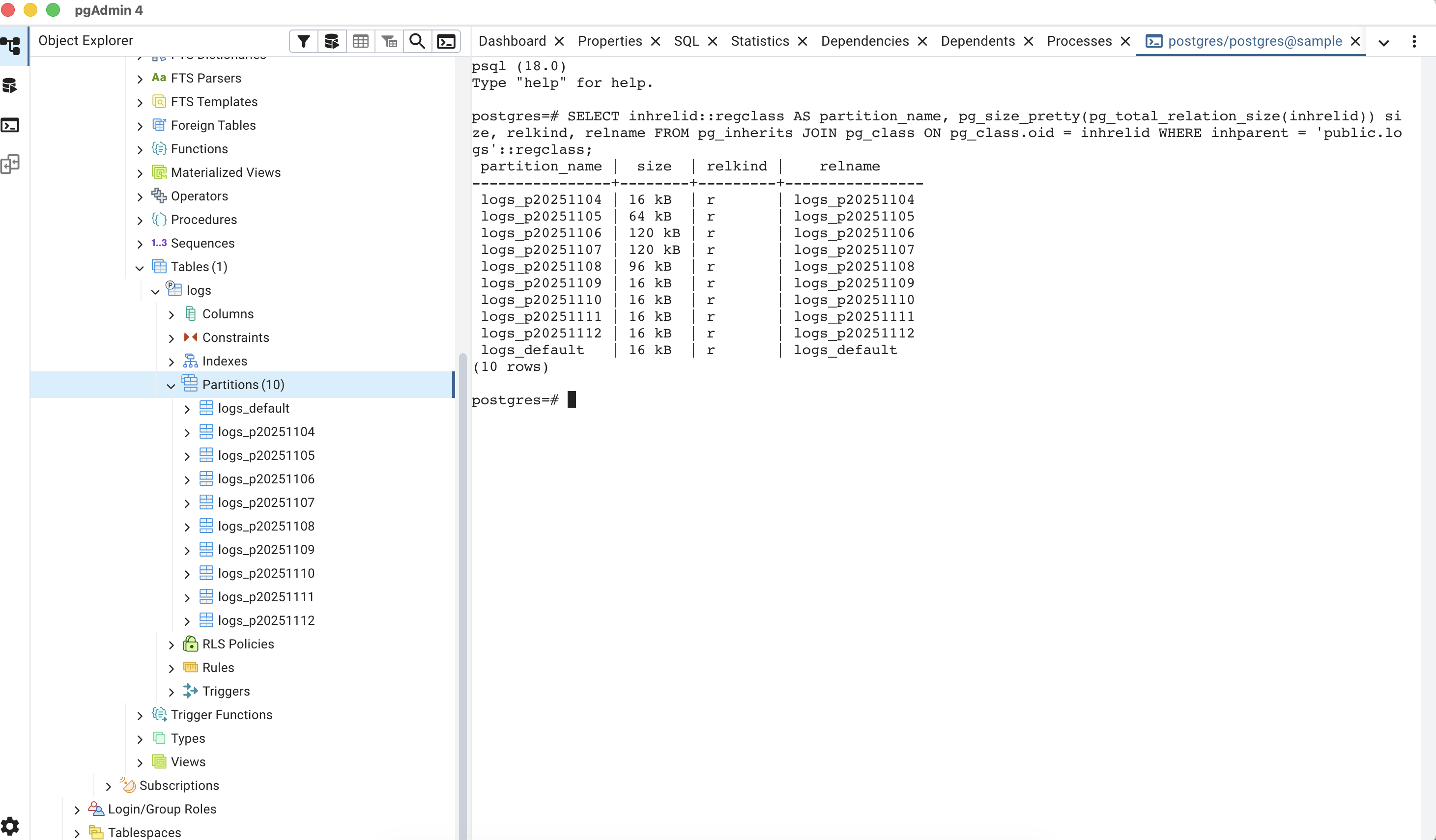
	SELECT * FROM partman.show_partitions('public.logs');
Design Tips for Partitioned Tables
- Partition by a monotonic time column like created_at or event_time. Avoid fields that change.
- Choose granularity wisely: although the example here is for daily, choose based on the workload.
- Avoid foreign keys across partitions.
- Index only what you query — each partition has separate indexes (More on this in next part).
Postgres still needs help staying clean under pressure. In Part 2, we’ll dive into the gritty details of vacuum tuning, index strategy, and runtime configuration — the tools that keep your database lean long after the inserts land.
Because scaling isn’t just about writing fast — it’s about staying fast.